
Webhooks
What it does
Section titled “What it does”Webhooks let you send real-time notifications from HARi to any external system when events happen in your CRM. Use them to connect HARi to custom applications, automation platforms, or internal tools.
How it works
Section titled “How it works”- Create a workflow in HARi with a Call Webhook action
- Specify the target URL (your server, Zapier, Make, n8n, etc.)
- When the workflow triggers, HARi sends an HTTP POST request to your URL with the event data
Payload format
Section titled “Payload format”Every webhook delivers a JSON payload:
{ "event": "record.created", "entity": "contact", "timestamp": "2026-03-31T14:30:00Z", "workspace": "yourcompany", "record": { "id": "a1b2c3d4-...", "name": "Jane Smith", "email": "jane@example.com", "company": "Acme Corp", "owner": "Vincent", "created_at": "2026-03-31T14:30:00Z" }, "changes": { "stage": { "old": "qualification", "new": "proposal" } }}The changes object is included only for update events and contains only the fields that changed.
Available events
Section titled “Available events”You can trigger webhooks on any workflow event:
| Event | Description |
|---|---|
record.created | A new record was created |
record.updated | A record was modified |
record.deleted | A record was deleted |
stage.changed | A BPF stage transition occurred |
status.changed | Record status changed (active/inactive/archived) |
assignment.changed | Record owner changed |
Setup guide
Section titled “Setup guide”Step 1: Create the receiving endpoint
Section titled “Step 1: Create the receiving endpoint”Your server needs an HTTP endpoint that accepts POST requests and returns a 200 status code:
POST https://your-server.com/webhooks/hariContent-Type: application/jsonStep 2: Create a webhook workflow
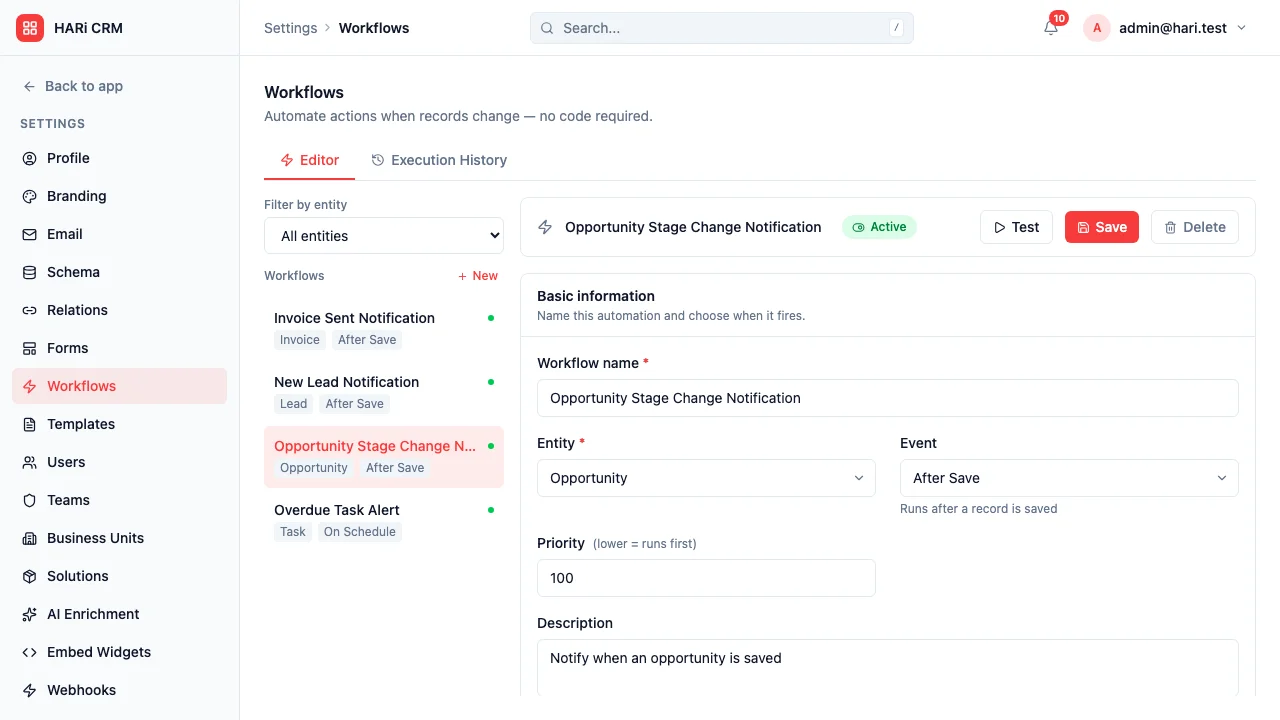
Section titled “Step 2: Create a webhook workflow”- Go to Settings > Workflows > + New Workflow
- Set the trigger (e.g., “When an opportunity is updated”)
- Add conditions if needed (e.g., “Stage changed to Closed Won”)
- Add action: Call Webhook
- Enter your endpoint URL
- Select which record fields to include in the payload
- Save and activate
Step 3: Test
Section titled “Step 3: Test”You have two ways to verify a webhook reaches your endpoint:
-
Test fire from Settings (fastest). Open Settings → Webhooks, find the row for the webhook you just configured, and click Test fire. HARi sends a sample payload to the URL immediately. A result panel appears below the row showing the HTTP status code, response time, and the response body (truncated at 500 characters with a “Show more” link for longer payloads). Connection or timeout errors are surfaced in red. The panel persists until you click Dismiss or fire another test, so you can compare runs.
-
Trigger from a real event. Create or update a record that matches the workflow’s trigger conditions. The workflow fires its full payload to your endpoint and the delivery shows up in the workflow execution log.
Use the Test fire button when you’re iterating on the URL or payload shape. Use a real event when you want to verify the workflow’s own conditions and field selection.
Retry policy
Section titled “Retry policy”If your endpoint returns a non-200 status code, network-errors, or times out (15-second limit):
- Retry 1: after 1 second
- Retry 2: after 2 seconds
- Retry 3: after 4 seconds
Exponential backoff. 4xx responses (other than 408/429) stop retrying immediately — those indicate a client-side problem, not a transient failure. After 3 failed attempts, the delivery is marked as failed. Each attempt is logged in the workflow execution log.
Security
Section titled “Security”Signature verification
Section titled “Signature verification”When the webhook has a configured secret, HARi sends two headers with each delivery:
X-Webhook-Secret— your shared secret (so the receiver can validate without HMAC if simpler)X-Webhook-Signature— HMAC-SHA256 of the raw JSON body using the same secret as the key
Verify either (or both) on your server to confirm the webhook came from HARi. Your webhook secret is configured in Settings > Webhooks.
HTTPS only
Section titled “HTTPS only”Webhook URLs must use HTTPS. HTTP endpoints are rejected for security.
Rate limits
Section titled “Rate limits”HARi sends webhooks as events occur with no artificial delay. If your endpoint is slow, consider using a queue (e.g., AWS SQS, RabbitMQ) to handle bursts.
Maximum concurrent webhook deliveries per workspace: 50.