
Merge Duplicates
Merge Duplicates
Section titled “Merge Duplicates”Duplicate records create confusion and inaccurate reporting. HARi CRM helps you find potential duplicates and merge them into a single clean record.
Finding Duplicates
Section titled “Finding Duplicates”You can start a merge in three places — they all open the same guided merge dialog:
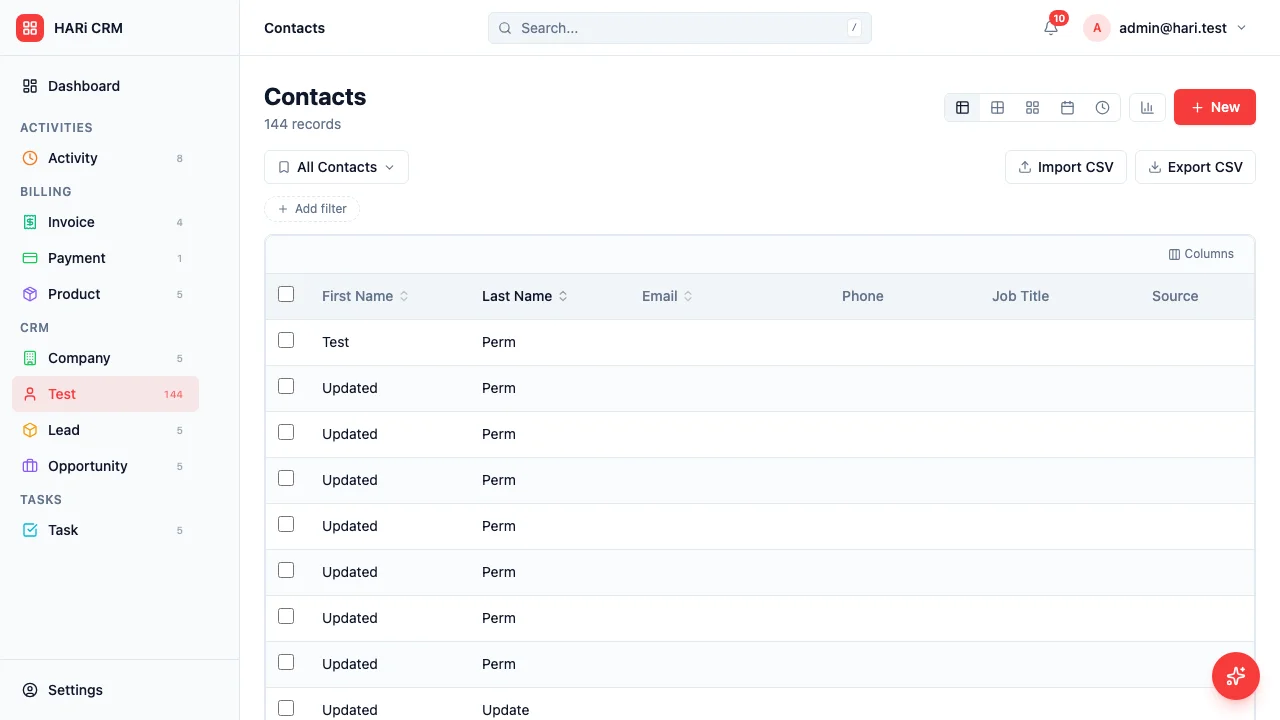
Merge from a list
Section titled “Merge from a list”This is the fastest way to clean up a known pair of duplicates.
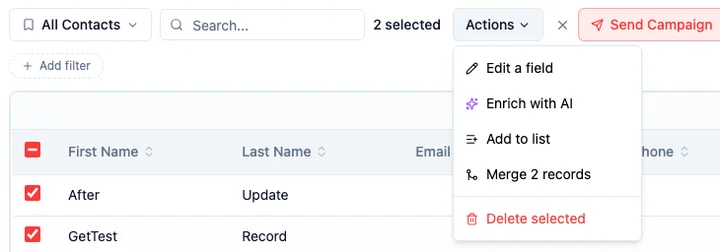
- Open any entity list (Contacts, Companies, and so on)
- Tick the checkbox on two or more records you want to combine
- Open the Actions dropdown and click Merge N records (the number reflects how many you selected)
Data Health dashboard
Section titled “Data Health dashboard”HARi detects potential duplicates automatically based on matching criteria like email address, phone number, or name.
- Open Settings > Data Health
- The page lists all detected data quality issues, with Duplicates as one of the categories
- Click an issue to jump to one of the duplicate records
- Use the Resolve or Dismiss buttons to clear the issue from the list
Inline warning on the record page
Section titled “Inline warning on the record page”When you open a record that HARi suspects has duplicates, an amber banner appears at the top of the page listing the suspected duplicate(s) with a Merge button next to each one. Clicking it opens the same merge dialog described below.
Reviewing Duplicates
Section titled “Reviewing Duplicates”For each suspected duplicate:
- Review both records to confirm they are truly the same person or company, not just similar names
- If they are not duplicates, dismiss the warning (or Dismiss the issue from Data Health)
- If they are duplicates, start a merge from any of the entry points above
Merging Records
Section titled “Merging Records”The merge dialog walks you through three steps.
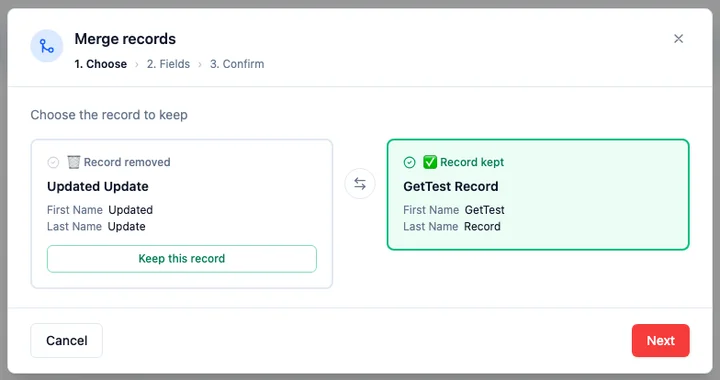
Step 1 — Choose the record to keep. HARi shows the two records side by side: one card marked Record kept, the other Record removed. By default the record with more filled-in fields is kept (if it’s a tie, the older record wins). If HARi picked the wrong one, click Swap to flip them, then click Next.
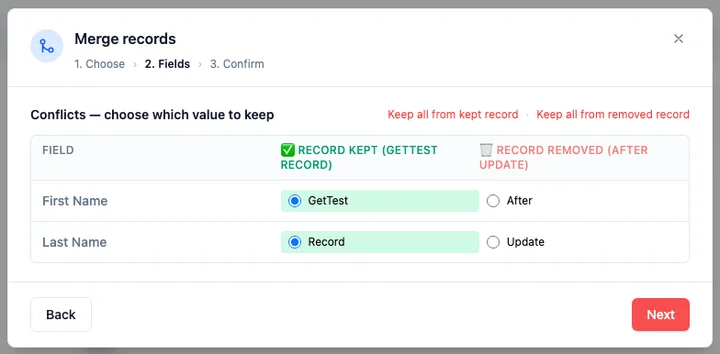
Step 2 — Resolve field conflicts. HARi compares the two records field by field:
- Where only one record has a value, that value is used automatically — nothing to do.
- Where both records have a different value, you pick the winner with a radio button (the kept record’s value is selected by default).
Use Keep all from kept record or Keep all from removed record to set every conflict at once, then fine-tune individual fields if needed. Click Next when you’re happy.
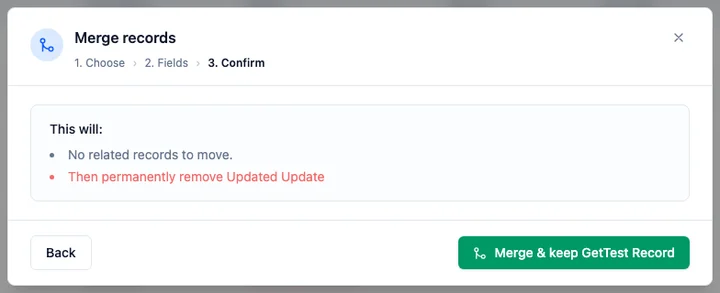
Step 3 — Confirm. HARi shows a plain-language summary of exactly what will happen — for example, “This will move 3 invoices and 12 activities to the kept record, then permanently remove the other one.” Review it and click Merge & keep [name] to finish.
When the merge completes:
- All related records (activities, deals, emails, tasks, list memberships) move from the removed record to the kept record.
- The removed record is deactivated — it isn’t permanently deleted, so nothing is lost if you need to refer back to it.
- The merge does not trigger any automations, so combining records won’t fire off emails or workflow actions.
If someone else edits one of the records while your merge dialog is open, HARi stops the merge and asks you to reload so you don’t overwrite their change.
Preventing Duplicates
Section titled “Preventing Duplicates”To reduce duplicates from being created in the first place:
- During import — Use HARi’s duplicate detection during CSV import. It flags potential duplicates before they are created.
- During manual entry — When creating a new record, HARi checks for existing records with similar email or name and warns you.
- Chrome Extension — When adding contacts from LinkedIn or Gmail, HARi checks if the contact already exists before creating a new record.
Cleaning up many duplicates
Section titled “Cleaning up many duplicates”If Data Health shows many duplicate issues:
- Open Settings > Data Health
- Filter to the Duplicates category to focus on those issues
- Work through them one at a time — each issue gives you a quick path to the records involved
- Periodically click Refresh to re-scan and pick up newly created issues
Next Steps
Section titled “Next Steps”- Import Contacts from Excel to learn about duplicate detection during import
- Segment Contacts to organize your cleaned-up contact list
- Link Contacts to Companies to fix any broken relationships after merging