
Lead Nurturing Sequence Template
Most leads aren’t ready to buy when they first contact you. Studies show that 80% of sales require five or more follow-ups, yet 44% of reps give up after just one. Lead nurturing bridges the gap between first touch and purchase decision.
Configuration recipe. This page is a guide to building a 30-day nurture sequence in HARi using Workflows and Email Templates. It is not a one-click install — the email templates and automations below are ones you create on top of the core CRM solution.
Common lead nurturing challenges
Section titled “Common lead nurturing challenges”- Manual follow-ups don’t scale — reps forget, get busy, or prioritize other tasks
- Generic messaging — sending the same email to every lead regardless of their interests
- No timing strategy — too many emails too fast feels spammy; too few and leads forget you
- Can’t measure what works — without tracking, you don’t know which messages drive conversions
How HARi handles this
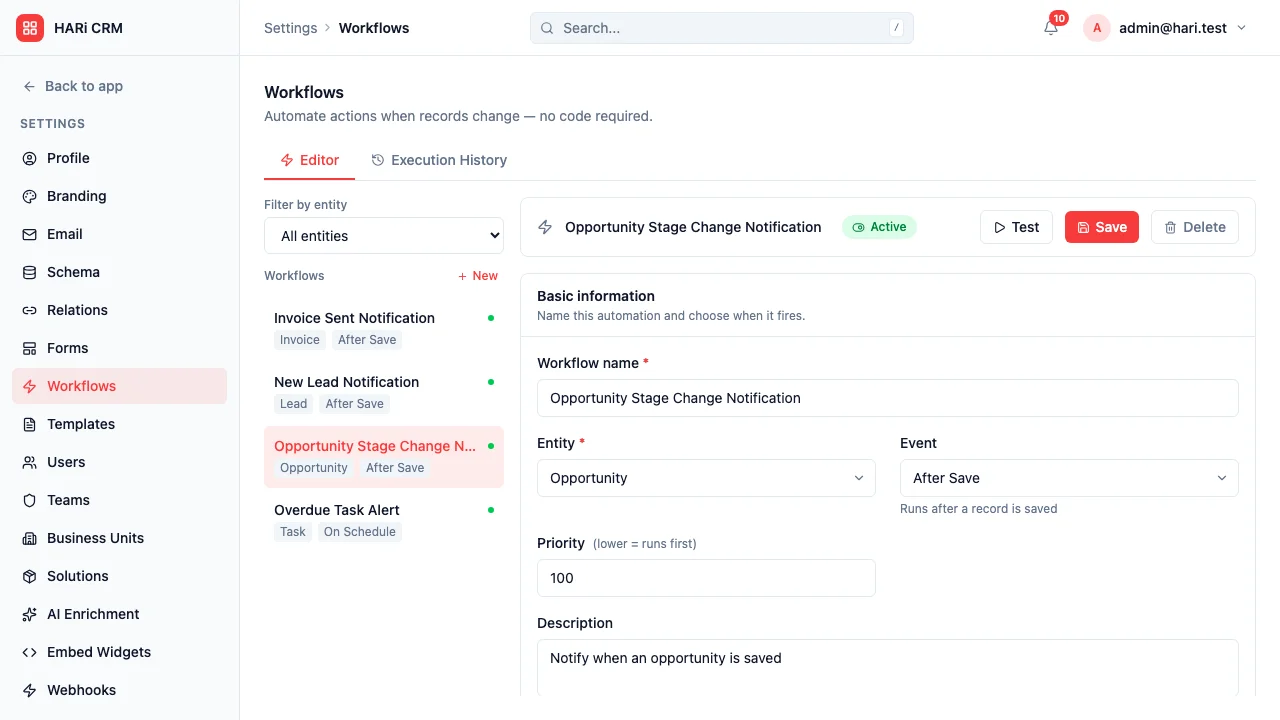
Section titled “How HARi handles this”Use Email Templates for the seven message bodies, then drive the sequence with Workflows that send the right template on the right day. Engagement scoring tracks who’s leaning in and who’s drifting away.
The 30-day sequence
Section titled “The 30-day sequence”| Day | Purpose | |
|---|---|---|
| Day 0 | Welcome & value proposition | Introduce your company and what you solve |
| Day 3 | Educational content | Share a blog post, guide, or case study |
| Day 7 | Social proof | Customer testimonial or success story |
| Day 12 | Problem-focused | Address a common pain point and your solution |
| Day 18 | Feature highlight | Showcase a specific capability with a demo link |
| Day 24 | Comparison guide | Help them evaluate options (including yours) |
| Day 30 | Soft close | Limited-time offer or consultation booking |
Entities and fields to set up
Section titled “Entities and fields to set up”- Contacts — email, nurture sequence status, interests, lead source
- Email Templates — one per sequence step, with merge fields for personalization
- Activities — automated email sends logged as activities linked to each contact
Suggested workflows
Section titled “Suggested workflows”Configure these in Settings > Workflows:
- Sequence enrollment — when a new lead is created with status “New”, enroll them in the nurture sequence
- Engagement tracking — engagement scoring already increments scores on email opens, clicks, and form submits — no extra workflow needed
- Hot lead exit — when a lead’s engagement score crosses your “hot” threshold, remove them from the nurture sequence and alert the sales rep
- Sequence completion — after Day 30, if the lead hasn’t converted, move to “Long-term nurture” with monthly check-ins
- Unsubscribe handling — handled by the platform’s built-in unsubscribe + suppression list; no extra workflow needed
Key dashboard widgets
Section titled “Key dashboard widgets”- Leads in each sequence stage
- Email open and click rates by step
- Leads converted from nurture sequence
- Average nurture-to-conversion time
Get started
Section titled “Get started”- Sign up for a free HARi account and install the CRM solution from Settings > Solutions.
- Author the seven email bodies in Settings > Email Templates with merge fields for personalisation.
- Configure the suggested workflows in Settings > Workflows to send each template on the right day.
- Tune scoring rules and the “hot” threshold in Settings > Engagement Scoring so high-intent leads exit the sequence and reach a human quickly.