
Log interaction now keeps what was said
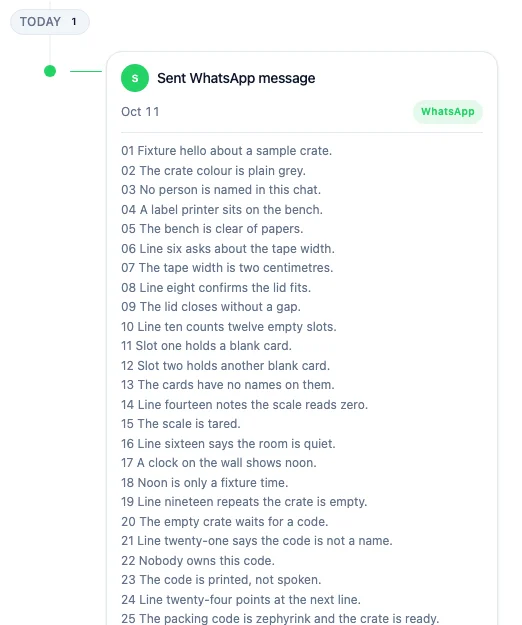
Log interaction keeps what was said. Open a contact, company or deal, click Log interaction, pick what happened, and paste the conversation into What was said? The note is saved on the activity. On the Timeline the card shows the first lines, Show more opens the rest, and Search timeline finds a word inside the note.
More than 3 billion people use WhatsApp every month. TechCrunch reported on 1 May 2025 that Meta’s chief executive said so on the company’s first-quarter results call (TechCrunch, WhatsApp now has more than 3 billion users a month). A chat on a phone is not a record a colleague can open later. The note is.
How do I log what was said?
Section titled “How do I log what was said?”Click Log interaction on the Timeline, pick what happened, and paste the conversation. The choices are Email, LinkedIn message, WhatsApp message, WeChat message, Phone call, In-person meeting, and Note / Other. For every type except Note / Other the box is labelled What was said? (optional). For Note / Other the box is labelled Note, and you have to fill it in. Save, and the card appears on the Timeline.
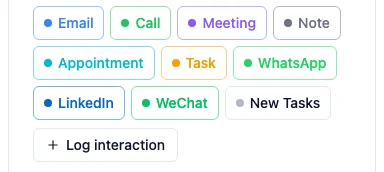
WhatsApp, LinkedIn and WeChat are activity types, the same way a call or a meeting is. The card is badged with that type.
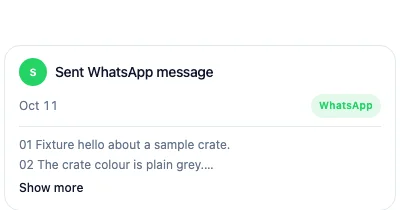
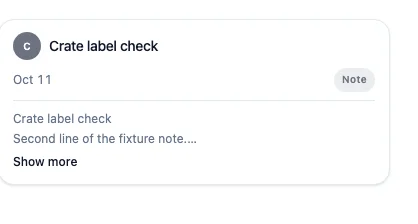
For Note / Other, the first line becomes the title. If you wrote more than one line, or that first line is longer than 120 characters, the whole text is kept under the title. A one-line note shorter than that is the title itself. For the other types the title stays the short label, such as Sent WhatsApp message, and what you pasted sits under it.
If Activities is not turned on, HARi says an admin can turn it on in Settings → Solutions, and the note is not kept. If you are not allowed to create an activity, it says to ask an admin for access to Activities, and again nothing is kept.
The same types sit on the Timeline as their own buttons. Those open the activity form, which already has a place for the note. See Quick create.
Which chats should I paste by hand?
Section titled “Which chats should I paste by hand?”With WhatsApp connected, conversations already appear on the contact automatically. You do not paste those again. See Conversations on the contact.
Paste by hand for a number that is not connected, a colleague’s phone, WeChat and LinkedIn. A screenshot is not read. Paste the text.
Who can read or search a note?
Section titled “Who can read or search a note?”The note is saved on the activity. Only people who can see that activity can read it, and only they can find it with Timeline search. That includes a connected AI app, which acts as the person who connected it: the app can read or search the note only when that person can. See Who can see this record? and Connect your AI app.
Open the company and the same activity is on its Timeline, marked via Contact. See A company’s Timeline includes its contacts’ conversations.
What do Show more and Timeline search do?
Section titled “What do Show more and Timeline search do?”Show more opens the rest of the note on the same page. Show less closes it. The click does not open another record.
Search timeline matches the title and the note. A word from the middle of a long paste still finds that card, and cards that do not match drop away.
What does an AI recap or an export keep?
Section titled “What does an AI recap or an export keep?”An AI recap reads at most the first 2,000 characters of each note. That text is sent to the AI provider like any other record you ask it to summarise. The rest of a longer note stays in HARi. It is just not part of that recap.
A note longer than 100,000 characters is not saved. Shorten it and try again.
An Excel export keeps the first 32,767 characters of a note. Microsoft lists “Total number of characters that a cell can contain” as 32,767 characters (Excel specifications and limits). A CSV export keeps all of it. See Import and export.