
FAQ: Billing and Plans

Common questions about HARi CRM billing, pricing, and account management.
How much does HARi CRM cost?
Section titled “How much does HARi CRM cost?”Pro is HK$1,990/month with unlimited users — no per-seat charges, no hidden fees, every feature included. A one-person business can be placed on Solopreneur at HK$990/month by the HARi team. An optional onboarding package (a one-time HK$3,990 set-up session) can be added when you start a subscription, or later on request. See plans and prices.
How do I pay if HARi put my workspace on the Solopreneur plan?
Section titled “How do I pay if HARi put my workspace on the Solopreneur plan?”Open Settings → Billing. The Current plan card reads Solopreneur and, for an administrator, shows Start your Solopreneur subscription — HK$990.00/month. Click it and pay on Stripe’s hosted checkout; the card details stay with Stripe, which states that with Checkout “your customers’ card information never touches your servers” (Stripe, PCI DSS compliance). Tick Add the onboarding package first if you want the one-time set-up session on the same first invoice. Members who are not administrators see the plan but not the button — ask an admin. The full walkthrough is in What if HARi put my workspace on a plan?.
Is there a free trial?
Section titled “Is there a free trial?”Yes. You can start a free trial without a credit card. The trial gives you full access to all features so you can evaluate HARi with your actual data and workflows.
How do I upgrade to Pro?
Section titled “How do I upgrade to Pro?”Open Settings → Billing. If you are an administrator on a free trial, click Upgrade to Pro and complete Stripe checkout for HK$1,990 a month. See Upgrade to Pro from Billing for who can click it, what happens after you pay, and when the button is not shown.
How does billing work?
Section titled “How does billing work?”You are billed monthly on the anniversary of your subscription start date. Invoices are sent to the billing email address on your account and are also available in Settings > Billing.
Can I change my billing email?
Section titled “Can I change my billing email?”Yes. Open Settings → Billing as a workspace administrator. In Billing details, change Invoice email and click Save billing details. The next invoice uses that address. Issued invoices stay as they were.
Where do I set the company name and tax ID on an invoice?
Section titled “Where do I set the company name and tax ID on an invoice?”On Settings → Billing, in the Billing details card above Invoice history. Save the company name, invoice email, address, and one tax ID. The type is a Hong Kong business registration or an EU VAT number — the two types Stripe accepts on this card (Stripe, Tax IDs). The help under the title says they are used on your next invoice. A workspace with no billing account yet sees “Your billing details are collected at your first payment.” Only an administrator can open this page.
What payment methods do you accept?
Section titled “What payment methods do you accept?”We accept credit cards (Visa, Mastercard, American Express) and Stripe Link. Bank transfers are available for annual plans. On Settings → Billing, a saved card shows as the brand and last four digits; a Link method shows the Link email, not a card number. To replace what is on file, see How do I change the payment method HARi charges?.
How do I change the payment method HARi charges?
Section titled “How do I change the payment method HARi charges?”Open Settings → Billing as a workspace administrator. The Current plan card names the method HARi will charge and shows Change payment method (or Add a payment method if none is saved yet). Click it and enter the new method on Stripe’s hosted checkout; card details stay with Stripe. When you return, Billing shows the method HARi will use. Closing checkout without saving leaves the previous method in place.
Can I pay annually?
Section titled “Can I pay annually?”Yes. Annual billing is available at a discounted rate. Contact our team for annual pricing.
What happens if my payment fails?
Section titled “What happens if my payment fails?”If a payment fails, we’ll retry automatically and notify you by email. Your account remains active during the retry period. If the payment isn’t resolved within 14 days, your account will be suspended (not deleted). You can reactivate it by updating your payment method.
How do I close my workspace?
Section titled “How do I close my workspace?”Go to Settings → Billing and scroll to the Danger zone card at the bottom of the page.
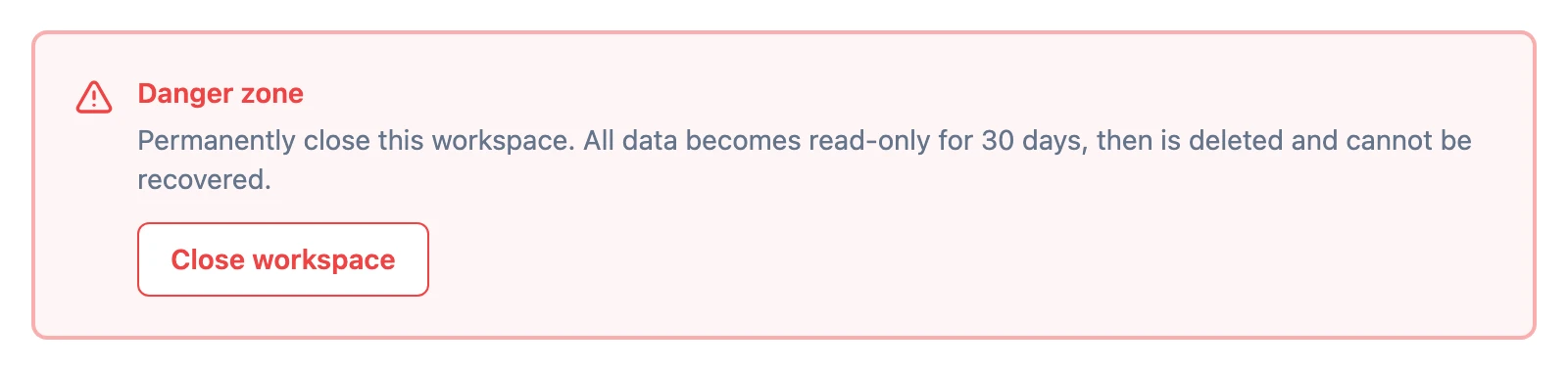
Click Close workspace. A typed-confirmation modal opens — you’ll need to type your workspace slug into the confirmation field before the Schedule deletion button activates. The modal also explains exactly what happens after you confirm.
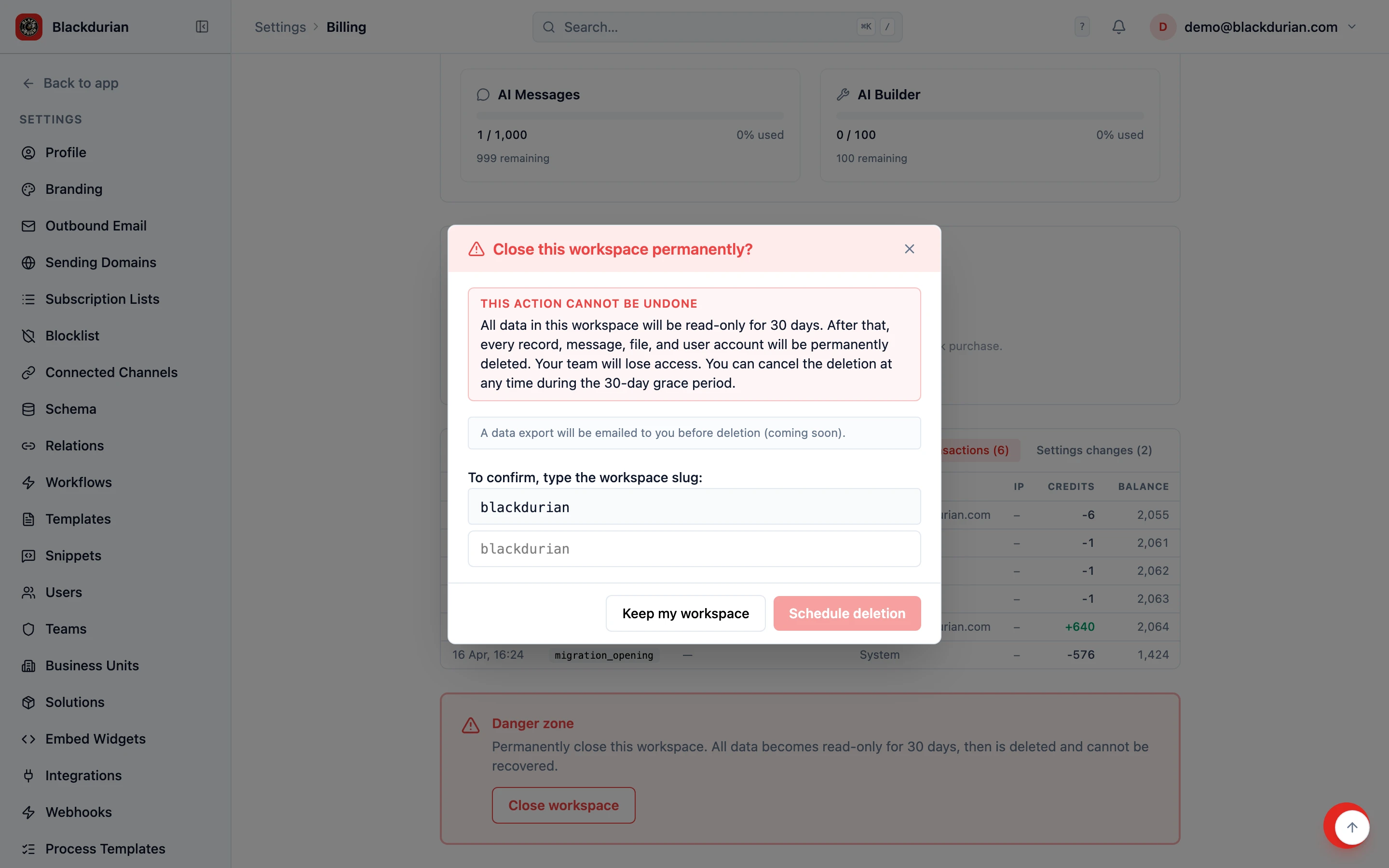
After confirming, your workspace enters a 30-day grace period: all data becomes read-only (no new records, no edits), but every user keeps access so they can review or export what they need. You can cancel the closure at any time during those 30 days from the same Billing page. After the grace period ends, every record, message, file, and user account is permanently deleted and cannot be recovered.
Can I export my data before closing my workspace?
Section titled “Can I export my data before closing my workspace?”Absolutely. For a single entity (Contacts, Companies, Leads, etc.) as a CSV, open that entity’s list view and use the Import button on the toolbar — the same screen handles export. For a complete copy of your entire workspace — including records, attachments, audit log, and email history — go to Settings → Data Privacy and click Request export; you’ll receive a download link by email within about 15 minutes. We’ll never hold your data hostage. See Full workspace export for details.
Do you offer refunds?
Section titled “Do you offer refunds?”We offer a full refund within the first 14 days of your subscription if HARi isn’t the right fit. After 14 days, we do not offer partial refunds, but you can cancel at any time to stop future charges.
Still have questions?
Section titled “Still have questions?”Contact our billing team at any time through the in-app chat or by emailing support. We respond within one business day.