
View Modes
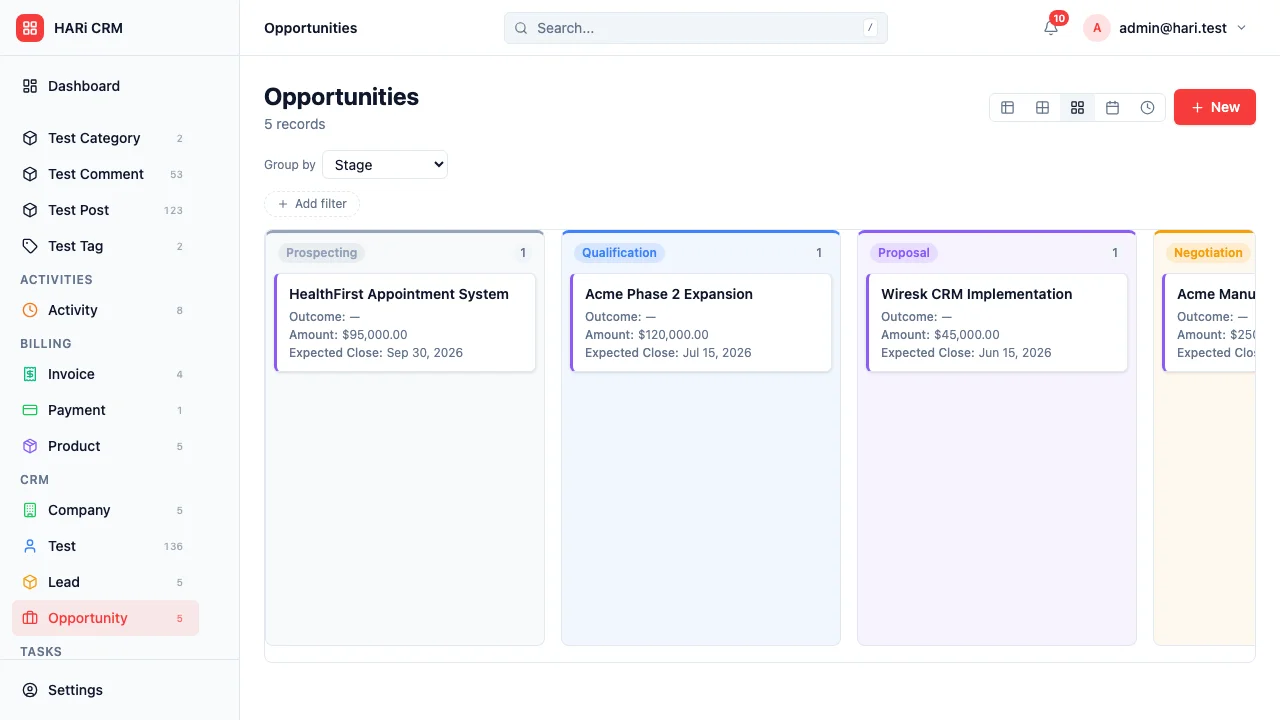
Every entity in HARi can be displayed in 5 different views. Switch between them with one click.
The default view. Fast, searchable, sortable.
- Column visibility (show/hide fields)
- Column reorder (drag to rearrange)
- Multi-column sort
- Inline filter bar (field + operator + value)
- Bulk actions (select multiple → update, delete, export)
- CSV import/export
Saving your column layout
Section titled “Saving your column layout”Your table layout — which columns are visible, the order you’ve dragged them into, each column’s width, and how many rows show per page — is remembered per entity and follows your login. Set up the Contacts table the way you like it on your laptop and the same columns, order, widths, and page size appear when you sign in on another computer. Each entity (Contacts, Companies, Deals, and so on) keeps its own layout, so tuning one table never disturbs another.
To go back to the standard layout, open the table’s column menu and choose Reset to default columns. This restores the original visible columns, order, and widths for that entity — useful after experimenting, or if a table starts to feel cluttered.
Compact card view, ideal for contacts and companies.
- Title from entity’s display field
- Status badge with configured colors
- Up to 5 detail fields per card
- Click to open record
Kanban
Section titled “Kanban”Drag-and-drop board, grouped by any select field.
- Group by: Status, Stage, Priority, or any dropdown field
- Drag cards between columns
- Column totals (count + sum of currency fields)
- Click card to open record
Calendar
Section titled “Calendar”Month view, grouped by any date field.
- Group by: Due Date, Close Date, Created At, any date field
- Click a date to create a new record
- Click an event to open the record
- Month navigation
Timeline
Section titled “Timeline”Gantt-style timeline for tasks and projects.
- Start date + end date visualization
- Color by status or priority
- Zoom in/out (day, week, month)
Saved Views
Section titled “Saved Views”Save any combination of filters, columns, and sort order as a named view.
- Quick switch between views
- Share views with your team
- Each view remembers its configuration