
Export monitoring
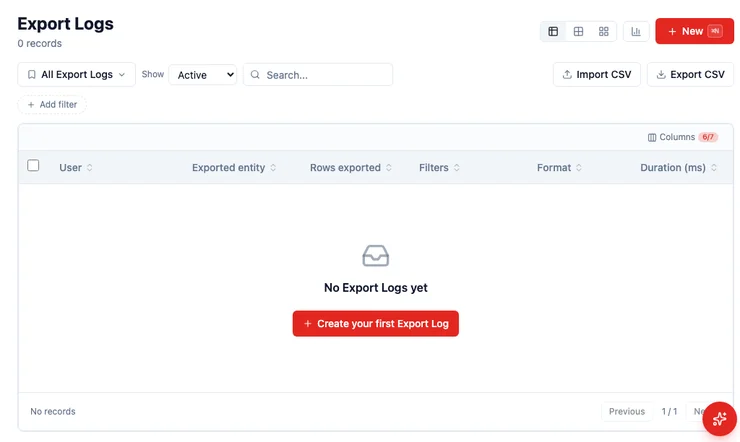
Every time someone exports records, HARi writes an Export Log: who did it, which record type, how many rows, which filters, the format, and how long it took. You can open your own logs. People with audit access can open everyone’s.
The export itself is still limited to records that person can see. The log is how you notice a surprising download after the fact.
Where do I find the log?
Section titled “Where do I find the log?”Open Export Logs in the sidebar (same place as Contacts and Companies). Each row is one export. Click a row to see the filters that were on at the time.
You cannot usefully “create” an export log by hand — it appears when someone uses Export CSV or a workspace export. An empty list means nobody has exported yet, not that logging is off.
Who can see whose logs?
Section titled “Who can see whose logs?”- Everyone sees their own export rows.
- A role with the audit view capability (and administrators) sees every row.
IBM’s 2024 Cost of a Data Breach Report found malicious insider attacks were the costliest vector, averaging USD 4.99 million (IBM Cost of a Data Breach Report 2024). A log of who exported 8,000 contacts last Tuesday is how a small company notices that without buying a separate DLP product. The UK ICO’s security guidance asks you to “ensure that you can detect security events” (ICO, Security) — this list is that detector for downloads.
Does exporting skip permissions?
Section titled “Does exporting skip permissions?”No. The file only contains rows the exporter can already read. The log records the attempt and the count. A person who cannot see Finance’s invoices cannot export them either.
Logs are kept for 12 months, then removed.