
Upgrade to Pro from Billing
An administrator on a free trial can move the workspace to Pro from Settings → Billing. Click Upgrade to Pro, pay HK$1,990 a month on Stripe’s hosted checkout, and every person in the workspace keeps every feature — there is no per-seat fee and nothing extra to unlock. If HARi has already placed your workspace on a plan (Solopreneur or Pro), the same card offers Start your … subscription instead, and an optional one-time onboarding package.
How do I upgrade to Pro?
Section titled “How do I upgrade to Pro?”Open Settings → Billing. On a free trial, the Current plan card names the plan Free Trial and shows a working Upgrade to Pro button. Only a workspace administrator sees that button.

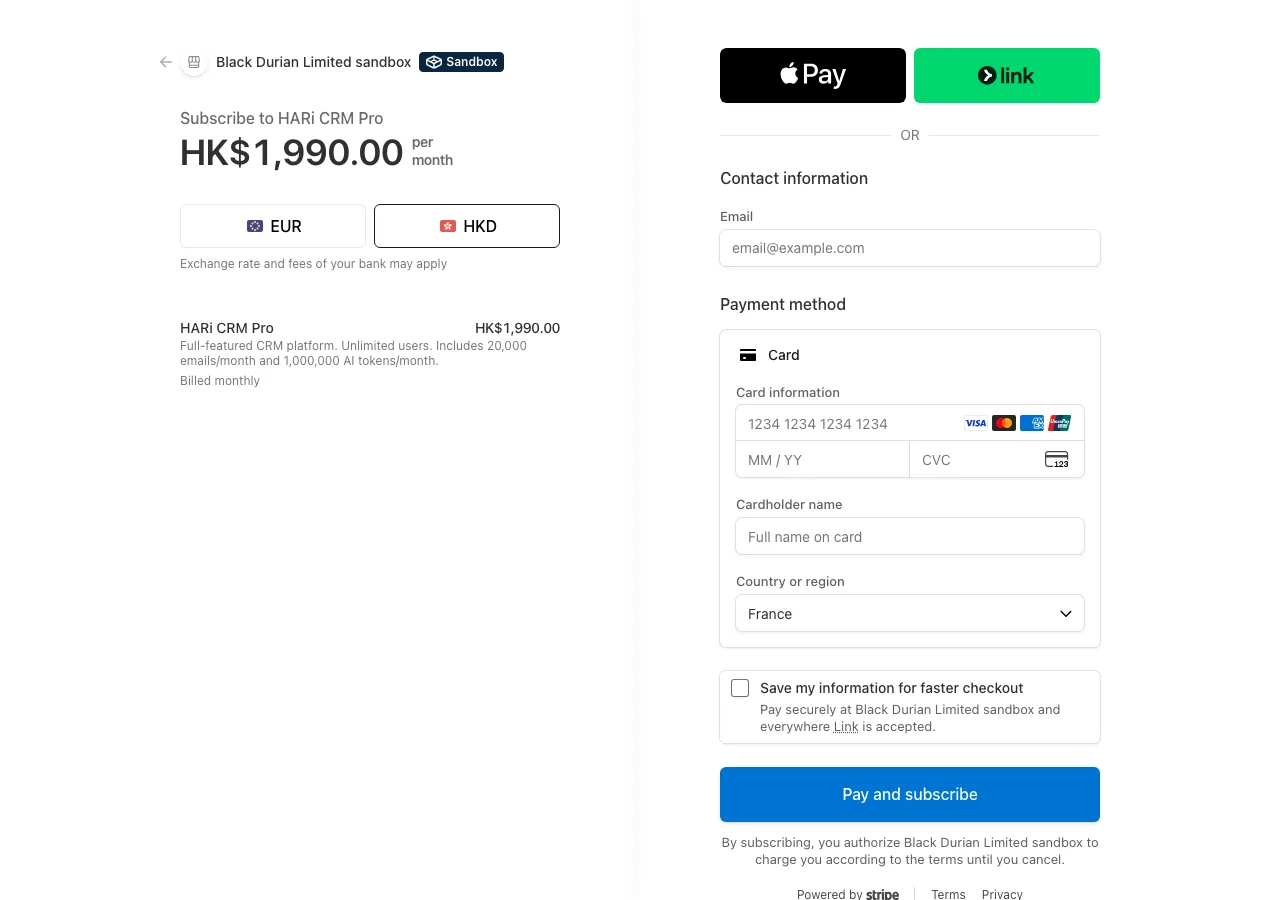
Click Upgrade to Pro. HARi sends you to a Stripe-hosted checkout for HK$1,990.00 per month. You enter the card on Stripe’s page, not inside HARi. If the workspace already has a card on file from buying credits, HARi can charge that card instead of asking you to type it again.
That self-serve path is what most buyers already expect. A Gartner survey of 632 B2B buyers (August–September 2024) found that 61% prefer an overall rep-free buying experience (Gartner, 25 June 2025). Robert Blaisdell, VP Analyst in the Gartner Sales Practice, put the frustration plainly: “Many B2B buyers feel overwhelmed and frustrated by the outreach they receive from sellers and the seller’s organization.” HARi’s upgrade is a button on Billing, not a sales call.
What does Pro cost?
Section titled “What does Pro cost?”HK$1,990 per month per workspace, billed monthly on the anniversary of the day you subscribed. Users are unlimited. Every feature in the product is included — there is no higher tier that unlocks workflows, the inbox, or AI. See pricing for the same number in US dollars or euros.
The paid plan also raises the built-in email sending allowance (about 20,000 messages a month, shared with AI). Connecting your own mailbox still sends without drawing on that allowance.
Invoices for the subscription appear on the same Billing page after the first payment. You can also cancel from that card once a subscription is in place; closing the whole workspace is a separate action in the billing FAQ.
What plans and prices are there?
Section titled “What plans and prices are there?”Three plan levels appear on the Billing card, all in Hong Kong dollars and all billed monthly:
| Plan | Price | Who it is for |
|---|---|---|
| Free trial | HK$0 | Evaluating HARi with your own data before you choose a plan |
| Solopreneur | HK$990 / month | One workspace run by one person — assigned by HARi |
| Pro | HK$1,990 / month | Unlimited users, every feature — the self-serve upgrade |
A fourth arrangement, Support 50%, is set up with the HARi team — contact us. Once it is assigned, it starts from the same Billing card as any other plan. Whatever the plan, the card on Settings → Billing shows the exact amount before you click.
What if HARi put my workspace on a plan?
Section titled “What if HARi put my workspace on a plan?”Sometimes the HARi team sets a workspace’s plan for you — typically Solopreneur for a one-person business, or Pro for a team that asked to be moved. You do not lose the self-serve path: the Current plan card names that plan and offers Start your Solopreneur subscription — HK$990.00/month (or the Pro equivalent). An administrator clicks it and pays on Stripe’s checkout, the same flow as Upgrade to Pro.
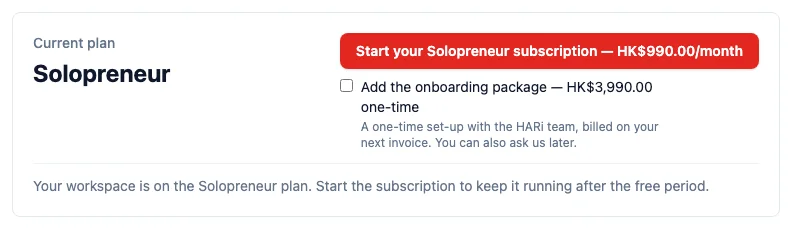
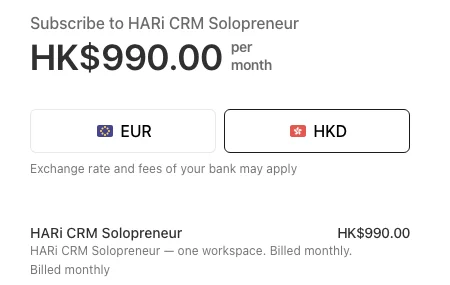
Until the payment goes through, the workspace stays on its free period. If you were still on the free period when the plan was assigned, that period keeps running; starting the subscription is what keeps the workspace open beyond it. If the card instead reads Managed by HARi, we bill you outside the app and there is nothing to click.
What is the onboarding package?
Section titled “What is the onboarding package?”The onboarding package is a one-time HK$3,990 guided set-up of your workspace with the HARi team. It is optional. On the Billing card, tick Add the onboarding package before you click Start; the button then reads … + HK$3,990.00 on your first invoice and a line underneath shows the first-invoice total, so there is no surprise at checkout.
You can also ask us to add it later: the HARi team can attach it to any workspace and it is taken on your next Stripe invoice. Either way it is charged once per workspace, ever — a cancelled and restarted subscription does not pay it again. Leave the box unticked and nothing is added.
Who can click Upgrade to Pro?
Section titled “Who can click Upgrade to Pro?”Only a workspace administrator, and only when an upgrade will actually go through. Everyone else on the team still sees the workspace’s plan and credit balance — they are not sent to a button that fails.
That split is deliberate. Stripe’s own PCI guidance is that Checkout hosts card collection on Stripe’s domain, so “your customers’ card information never touches your servers” (Stripe, PCI DSS compliance). HARi never stores the card number. Restricting the click to administrators is how the workspace decides who may start a HK$1,990 subscription, not how the card is handled.
When is there no Upgrade button?
Section titled “When is there no Upgrade button?”The card shows one honest action, or a sentence explaining why there is nothing to press:
- Managed by HARi — we already bill this workspace outside the app. Email support if you need a change; there is no self-serve button that would charge you twice.
- Start your Solopreneur subscription (or Pro) — HARi assigned the plan; the button starts it at the price shown. See What if HARi put my workspace on a plan?
- You are not an administrator — ask one of your admins. The plan itself stays visible.
- You are already on Pro — the card offers Cancel subscription when there is a subscription to cancel, not a second upgrade.
- Payment not finished — a checkout was started and the first payment did not complete. The button reads Finish payment and takes you back to the outstanding Stripe invoice.
If the plan cannot be loaded at all, the card says so and offers Reload rather than guessing.
What happens after I pay?
Section titled “What happens after I pay?”Stripe confirms the payment and HARi updates the workspace. You land back on Settings → Billing. When the payment has gone through, the card reads Pro, shows the next renewal date, and names the saved payment method HARi will charge. There can be a few seconds of waiting while Stripe and HARi catch up — if the page still reads Free Trial, use Reload rather than clicking Upgrade again.
Until that confirmation, the workspace stays on the free trial. An abandoned checkout does not silently grant Pro. To use a different method later, see How do I change the payment method HARi charges?.
How is this different from Stripe on an invoice?
Section titled “How is this different from Stripe on an invoice?”Stripe Payments is a different connection: it lets your customers pay your invoices. Upgrade to Pro is how you pay HARi for the workspace. Connecting your Stripe account for invoice pay-links does not subscribe the workspace, and upgrading to Pro does not connect your Stripe account.
To see where Billing sits alongside the rest of the product, start with the introduction. For cancellation, invoices, and closing a workspace, use the billing FAQ.