
Why your click numbers dropped: automated clicks from email security filters
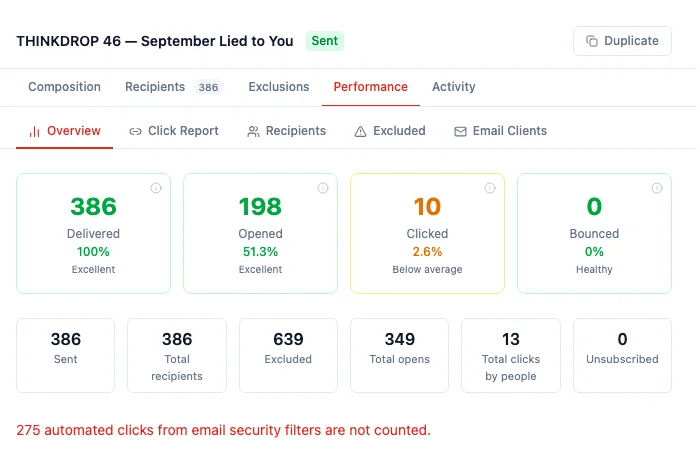
Campaign click counts now leave out automated clicks from email security filters. A company mail filter opens every link to check it before the person sees the email, and each of those checks used to count as a click. On the campaign THINKDROP 46, HARi recorded 288 clicks. 13 of them were made by people, from 10 people.
Mailchimp’s internal testing “shows that roughly 1 in 5 clicks are bots when you look with basic detection” (Mailchimp, How to detect bot clicks in email marketing). HubSpot filters them as well. Its documentation says “By default, bot filtering is turned on for marketing emails” (HubSpot, Understand bot filtering in marketing email analytics).
Where do I see clicks by people?
Section titled “Where do I see clicks by people?”Open Campaigns, open the sent campaign, and stay on Performance. Clicked is how many people clicked at least one link. Hold the pointer on that card and it reads “People who clicked at least one link. Automated scans by email security filters are excluded.” Total clicks by people is how many clicks those people made. On THINKDROP 46 that is 10 people and 13 clicks.
When any clicks were left out, a line under the cards names them. On this campaign it reads “275 automated clicks from email security filters are not counted.” The line is hidden when that number is zero. Clicking it opens the Click report with Show automated clicks already ticked.
Turning link tracking on or off has not changed. A new campaign still counts clicks unless you switch that off before you send. See Campaign click tracking.
How do I see the automated clicks?
Section titled “How do I see the automated clicks?”Open the Click report on the same campaign. Show automated clicks is off until you tick it, and it is off again the next time you open the campaign. While it is off, the report is one row per person who clicked. The email address sits under the name, so two people who share a name stay distinct. Clicks is how many times that person clicked. First click and Last click use only those clicks, not a security scan.
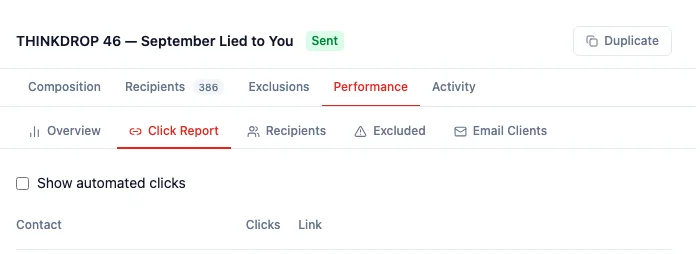
Tick Show automated clicks and people whose only clicks were security scans join the list. Open a row and each scan is marked Automated — email security scan. Hold the pointer on that mark and it reads “Company mail filters open every link to check it for viruses before the person sees the email. These are not people.” The Clicks number on the row stays the clicks that person made.
If every recorded click is a scan and no person has clicked, the report says “Only automated scans so far — no person has clicked yet” until you tick the box.
What about opens?
Section titled “What about opens?”Opens can also be inflated by security filters and Apple Mail Privacy Protection; HARi does not separate them yet.
Related
Section titled “Related”- Campaign click tracking — who clicked which link, and how to turn tracking off before a send
- What is email tracking? — opens, clicks, and the contact’s timeline
- Email sending — how a campaign leaves HARi