
How to Bulk Edit Multiple Records
How to Bulk Edit Multiple Records
Section titled “How to Bulk Edit Multiple Records”When you need to update many records at once — reassign a batch of leads, change the stage of several deals, or update a field across dozens of contacts — bulk editing saves you from opening each record individually.
Selecting Records
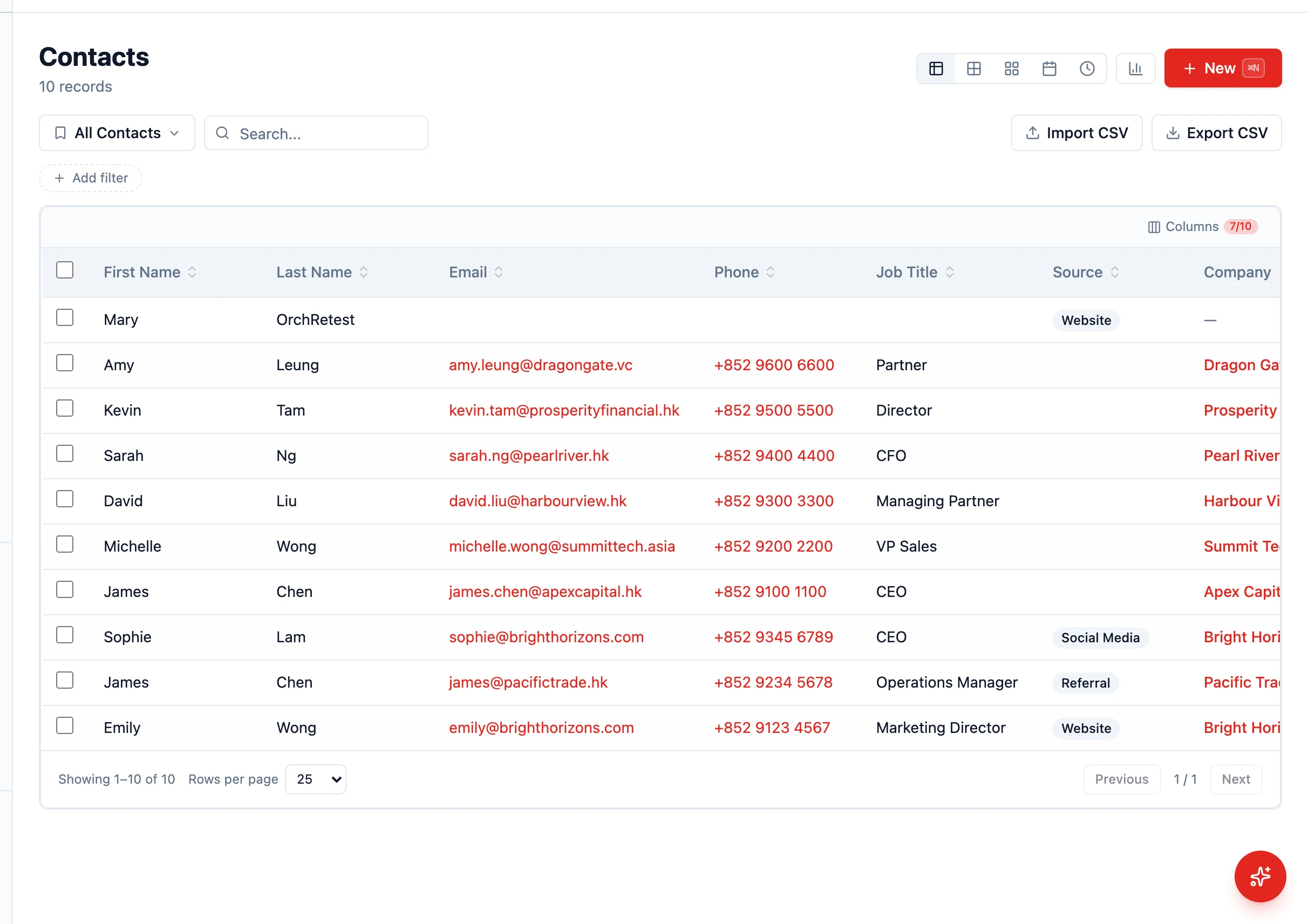
Section titled “Selecting Records”- Navigate to any entity list (e.g. Contacts, Leads, Opportunities) in Table view
- Click the checkbox next to each record you want to edit
- Or click the header checkbox to select all records on the current page
- A selection bar appears at the top, showing “N selected” with an Actions dropdown
Performing a Bulk Edit
Section titled “Performing a Bulk Edit”- With records selected, open the Actions dropdown
- Click Edit a field
- Choose the field you want to change (one field per bulk edit)
- Set the new value
- Click Save
All selected records update simultaneously. The change appears in each record’s audit log on the History tab.
Bulk edit operates on one field at a time. Run the action multiple times if you need to change several fields.
Other Bulk Actions
Section titled “Other Bulk Actions”The same Actions dropdown also offers:
- Enrich with AI — fills missing fields with AI-suggested values (review-and-approve flow)
- Set as Active / Inactive / Archive — change the lifecycle state of every selected record
- Delete selected — permanently remove the records (with confirmation)
Common Bulk Edit Scenarios
Section titled “Common Bulk Edit Scenarios”- Reassign ownership — Select leads and update the Owner field
- Update status — Mark several tasks as Completed in one go
- Move pipeline stage — Bump several deals into the next stage
- Tag a batch — Add a tag to many records via the Edit a field action
Bulk Delete
Section titled “Bulk Delete”- Select the records you want to remove
- Open Actions > Delete selected
- Confirm the deletion
Deleted records remain recoverable for a grace period via the archive view.
- Filter first, then select — Use filters to narrow the list before selecting, so you only affect the right records
- Start small — Test your bulk edit on a few records first to make sure the result is what you expect
- Check permissions — You can only bulk edit records you have permission to modify