
Stripe Payments
HARi’s Stripe integration lets your customers pay their invoices online by card. An admin connects your Stripe account once, then anyone on your team can share a secure pay link from an invoice — the customer pays on a branded Stripe page, and HARi marks the invoice paid the moment the payment clears. No developer, no code.
What is Stripe payments?
Section titled “What is Stripe payments?”Stripe payments connects the invoices you already raise in HARi to your own Stripe account, so each invoice can carry a “pay now” link. Your customer clicks it, pays by card (or Apple Pay, Link, and the local methods Stripe offers), and the money lands in your Stripe balance — HARi never sees or stores a card number.
Getting paid online is no longer a nice-to-have. According to the World Bank’s Global Findex Database 2021, “two-thirds of adults worldwide now make or receive digital payments” (World Bank, 2021). Customers increasingly expect to settle a bill in a couple of taps rather than arrange a bank transfer, and a pay link on the invoice meets that expectation.
Because the payment happens on Stripe’s own hosted checkout, all the sensitive card handling and PCI compliance stay with Stripe. HARi’s job is simply to create the link, and to update the invoice once Stripe confirms the payment.
Connecting your Stripe account
Section titled “Connecting your Stripe account”An admin connects Stripe once, in Settings → Integrations → Stripe. Paste your Stripe secret key and publishable key, and HARi encrypts and stores them securely — the keys are always shown masked afterwards, and HARi never exposes them again.
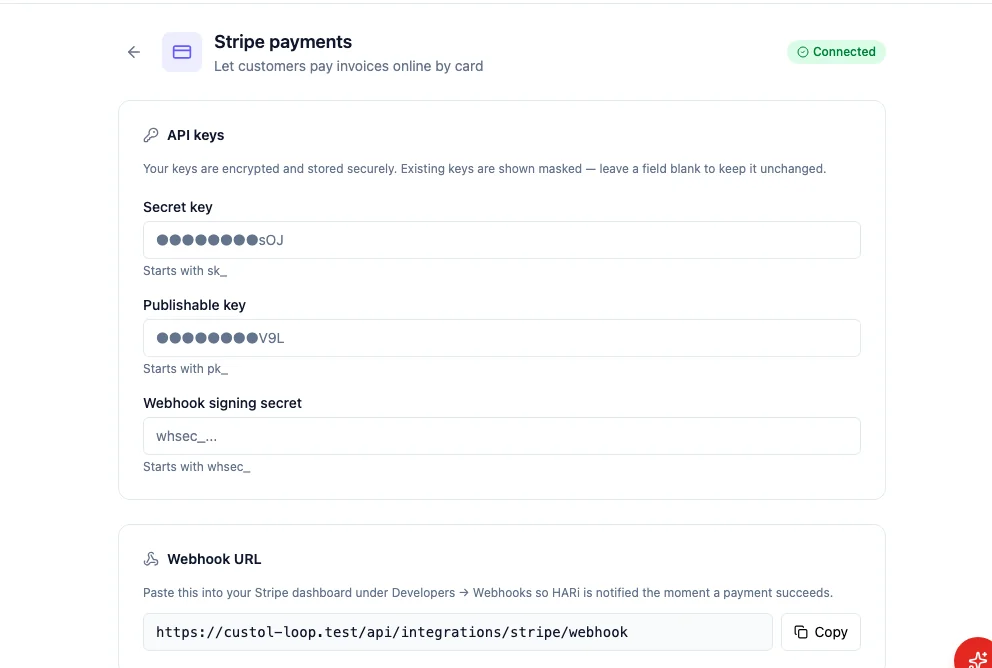
To be told the instant a payment succeeds, copy the Webhook URL shown on the page and add it in your Stripe dashboard under Developers → Webhooks, then paste the resulting webhook signing secret back into HARi. The field mapping is handled for you — the defaults match HARi’s built-in invoicing, and the advanced section is only there if your records use custom field names.
Sharing a pay link
Section titled “Sharing a pay link”Open any invoice and choose Copy pay link. This action is available to your sales reps as well as admins, so the person who owns the relationship can send the link without needing access to your Stripe keys.
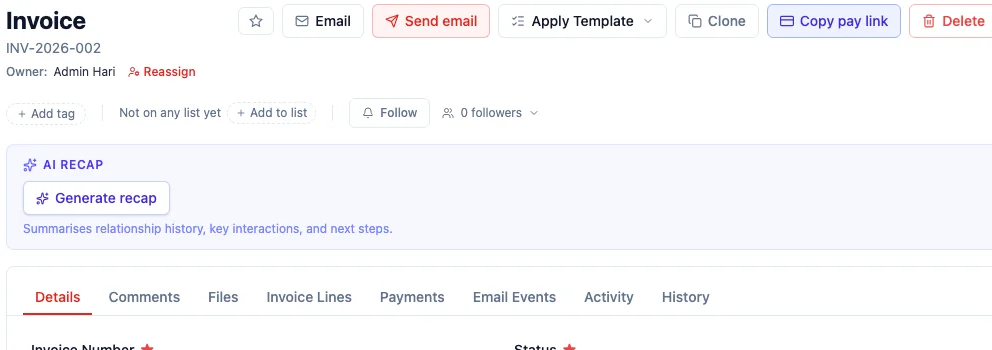
Paste the link into an email, a message, or your invoice PDF. It is a public link — your customer does not need a HARi login to open it — and it stays valid until the invoice is paid. If someone opens the link for an invoice that has already been paid, HARi shows a friendly “already paid” message instead of charging them again.
What your customer sees
Section titled “What your customer sees”The link opens Stripe’s hosted checkout, carrying your business name and the invoice details. Your customer picks a payment method and pays — no account required.
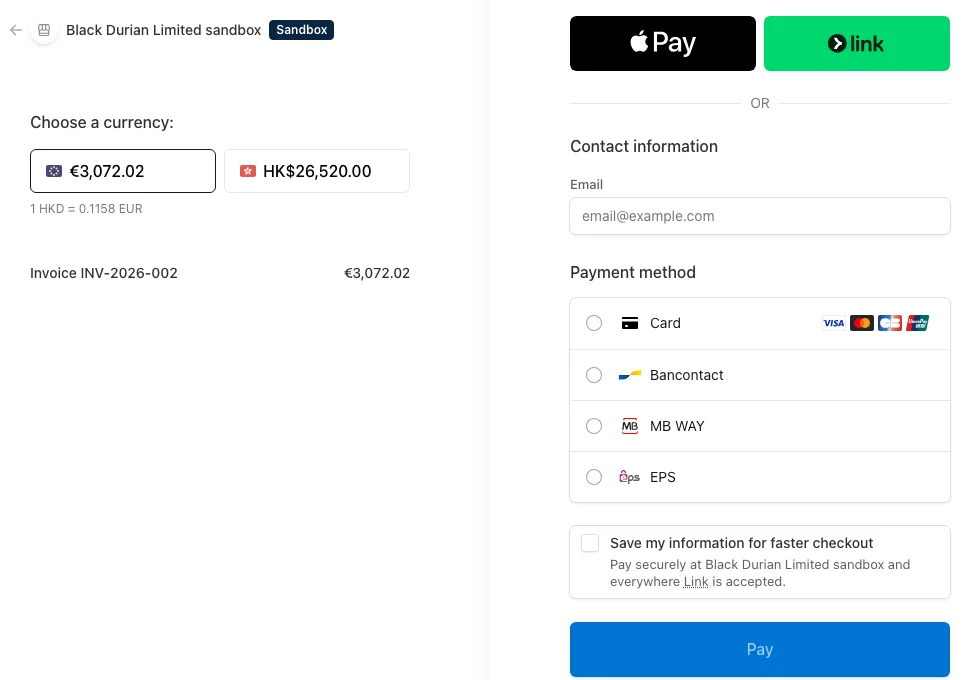
Everything on this page is served and secured by Stripe. The customer never leaves a trusted, familiar checkout, which is exactly what makes them comfortable entering their card.
When a payment succeeds
Section titled “When a payment succeeds”As soon as Stripe confirms the payment, it notifies HARi through the webhook you configured, and HARi marks the invoice as paid automatically — no manual reconciliation. The next time you or your customer opens that pay link, it reports the invoice as already settled.
That closes the loop: you raise the invoice in HARi, your customer pays through Stripe, and the record updates itself. To learn how invoices are created and tracked in the first place, see Invoicing. To understand where payments fit alongside the rest of HARi, start with the introduction.