
CRM for SaaS Companies
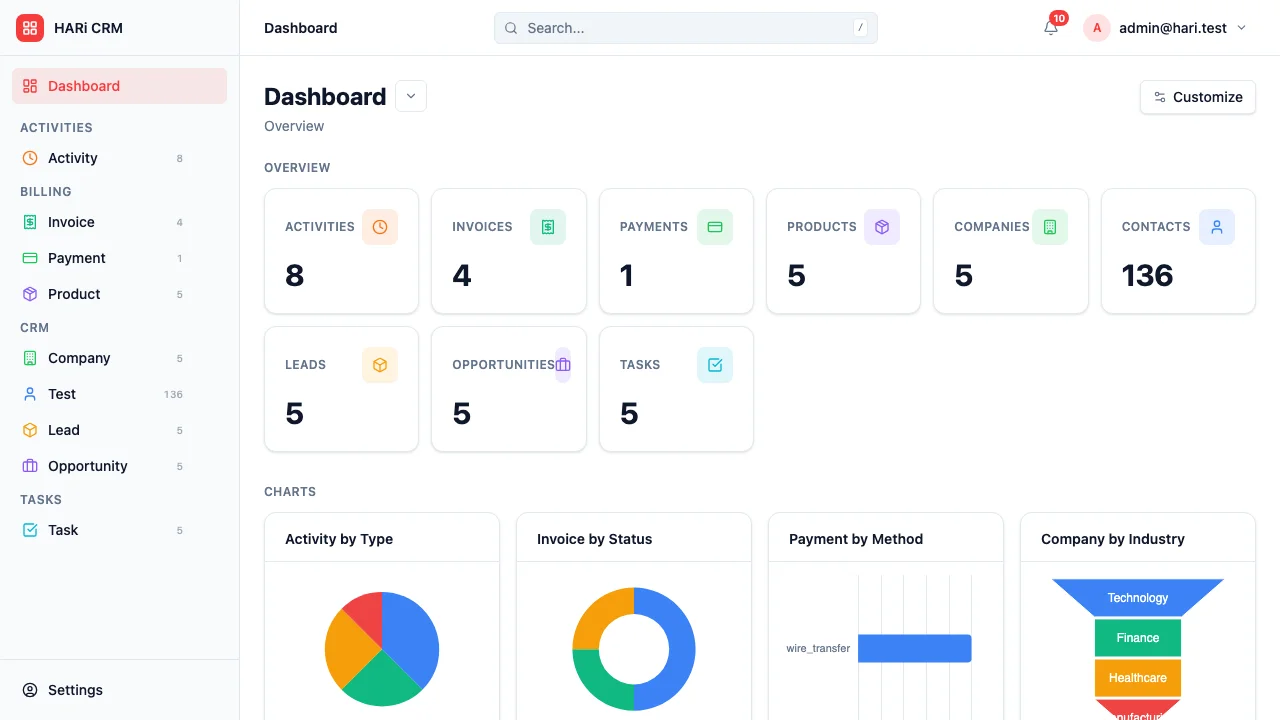
SaaS companies operate on recurring revenue, which means the relationship doesn’t end at the sale — it begins there. You need to track monthly recurring revenue, monitor churn signals, convert trial users to paid, and manage a constant stream of feature requests. Traditional CRMs are built for one-time deals, not subscription businesses.
Configuration recipe. This page is a guide to configuring HARi for a SaaS business. It is not a one-click install — the entities, fields and workflows below are ones you build on top of the core CRM solution.
SaaS CRM challenges
Section titled “SaaS CRM challenges”- Revenue is recurring — MRR, ARR, expansion, contraction, and churn all need tracking
- Trial-to-paid conversion — trial users need targeted engagement during their evaluation window
- Churn prevention — detecting at-risk customers early is the difference between growth and decline
- Feature request management — customers constantly ask for new features, and you need to track demand patterns
How HARi handles this
Section titled “How HARi handles this”The CRM solution gives you Companies (Accounts), Contacts, and Opportunities (for expansions). Add Subscription and Feature Request entities in Settings > Schema, and use Workflows to drive trial onboarding, churn alerts, and expansion plays.
Entities and fields to set up
Section titled “Entities and fields to set up”- Accounts (Companies) — plan tier, MRR, subscription start date, renewal date, health score, CSM owner
- Contacts — role (Admin, End User, Champion, Decision Maker), last login date, NPS score
- Subscriptions — linked to Account, plan, MRR, billing cycle, status (Trial / Active / Past Due / Churned)
- Feature Requests — linked to Account and Contact, description, priority, vote count, status (Requested / Planned / In Progress / Released)
- Opportunities — expansion deals, upsells, plan upgrades
Suggested workflows
Section titled “Suggested workflows”Configure these in Settings > Workflows:
- Trial engagement — when a trial begins, schedule automated check-in emails on days 3, 7, and 12
- Trial expiry warning — 2 days before trial ends, alert the assigned rep to reach out
- Churn risk detection — if an account’s usage drops below 50% of their 30-day average, flag as at-risk and notify the CSM
- Expansion opportunity — when an account reaches 80% of their plan limits, create an upsell opportunity
- Feature release notification — when a feature request status changes to “Released”, notify all customers who requested it
Key dashboard widgets
Section titled “Key dashboard widgets”- MRR trend over time
- Trial-to-paid conversion rate
- Accounts by health score
- Feature requests by vote count
- Churn rate (monthly and annual)
- Net revenue retention
Get started
Section titled “Get started”- Sign up for a free HARi account and install the CRM solution from Settings > Solutions.
- In Settings > Schema, add Subscription and Feature Request entities with the fields above, and add MRR / health-score fields to Account.
- Configure the suggested workflows in Settings > Workflows.
- Build a SaaS dashboard from Dashboards with the suggested widgets.