
Engagement Scoring
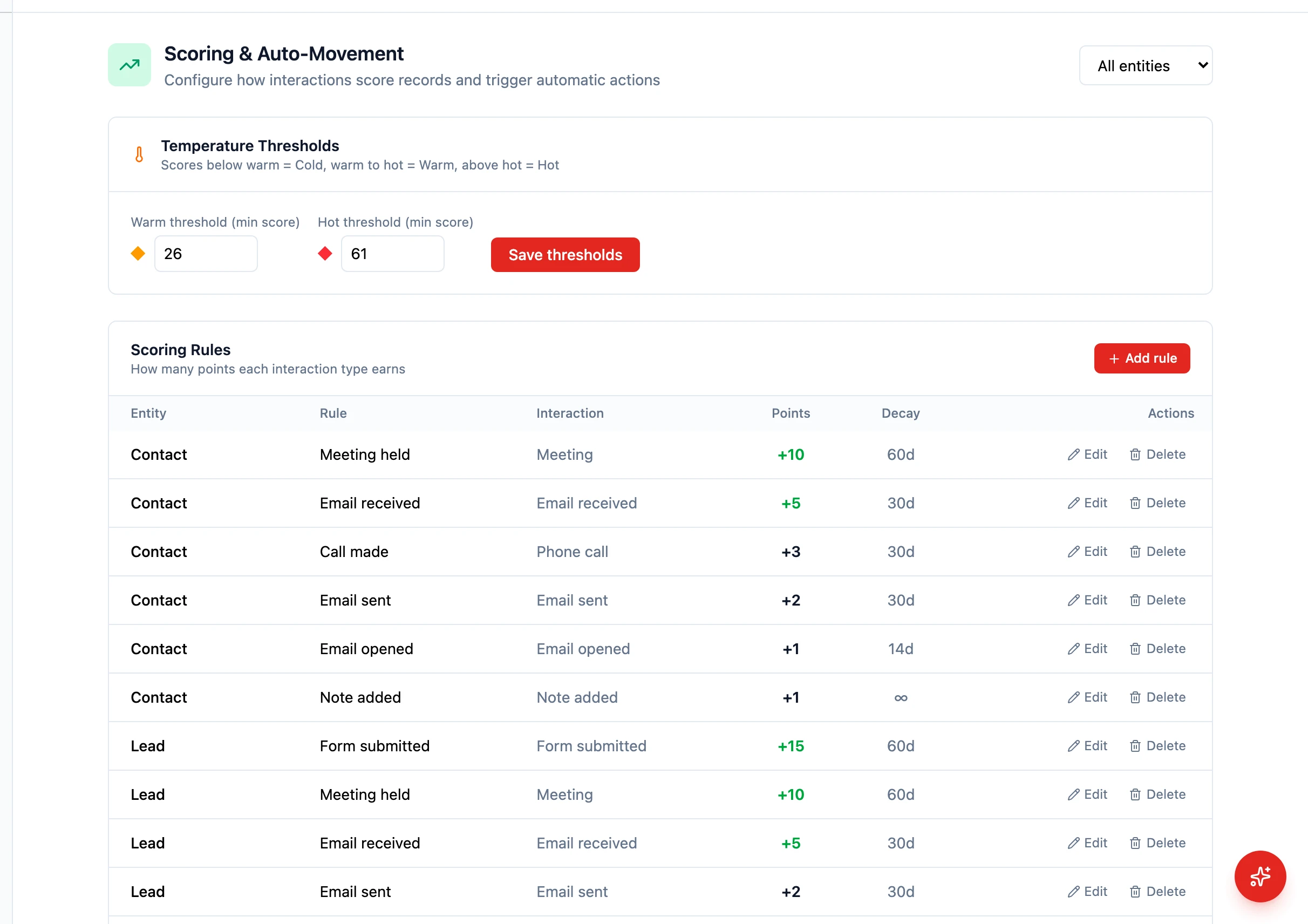 HARi’s engagement scoring helps you focus on the contacts and leads most likely to convert. Every record on a scored entity gets a score from 0 to 100 plus a temperature label (cold, warm, or hot), updated automatically as interactions happen.
How scoring works
Section titled “How scoring works”Scores are computed from interaction events recorded against the contact. Each event type is worth a configurable number of points. The score is the running sum, capped to the 0–100 range.
The default rules cover the most common email-engagement signals:
| Event | Default points |
|---|---|
| Email open | +3 |
| Email click | +5 |
| Form submission | +10 |
| Meeting scheduled | +15 |
| Hard bounce | -20 |
| Unsubscribe | -50 |
Custom rules can also be added in Settings > Engagement Scoring to award or remove points for any of the supported interaction types (email sent, email received, email opened, meeting, call, note, form submit, social like / comment / message, page view).
Temperatures
Section titled “Temperatures”The score is mapped to a temperature label using two thresholds:
- Cold: 0 to 25
- Warm: 26 to 60
- Hot: 61 to 100
Both thresholds are editable in Settings > Engagement Scoring so you can match your own qualification criteria — for example you might raise the “hot” cutoff to 70 if your team is spread thin.
Score decay
Section titled “Score decay”Scores are not static. If a contact goes quiet, the score is reduced by a daily decay job:
- No activity for 30 days: -5 points
- No activity for 60 days: an additional -10 points (so a 60-day-quiet contact loses 15 total)
This keeps your hot list reflecting current reality, not last quarter’s enthusiasm.
Auto-movement rules
Section titled “Auto-movement rules”You can combine scoring with automation rules to react when a score crosses a threshold or when a contact stays inactive. Each rule fires for a chosen entity (e.g. lead) and can trigger one of:
- Update a field
- Move the record to a different stage
- Add a tag
- Send a notification
Rule conditions include score above, score below, and no interaction for N days. Configure them in Settings > Engagement Scoring > Auto-movement rules.
Where scores appear
Section titled “Where scores appear”The score and its temperature are exposed via the API (GET /api/scoring/{entity}/{id}) and surfaced on record pages and lists wherever your tenant has chosen to show them. The dashboard “Hottest contacts” data source returns the top contacts by score for use in widgets.
Customising the model
Section titled “Customising the model”Open Settings > Engagement Scoring to:
- Add, edit or remove scoring rules per interaction type
- Adjust the warm and hot temperature thresholds
- Define auto-movement rules for any entity that has scoring enabled
The default rules apply automatically when the settings table is empty, so a brand-new tenant gets sensible behaviour out of the box and can fine-tune later.