
CRM for Freelancers
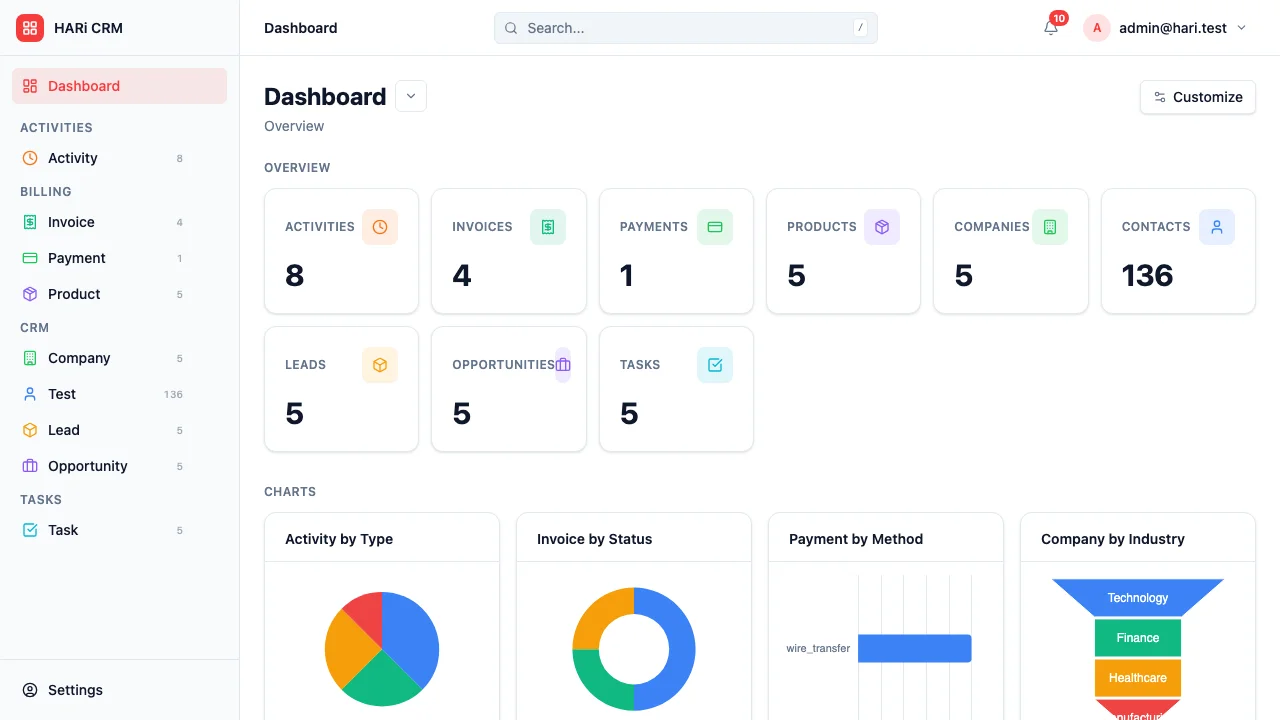
As a freelancer, you are the sales team, the project manager, the accountant, and the delivery team all in one. You need a lightweight system that tracks your client relationships, manages proposals, logs your time, and handles invoicing — without the overhead of enterprise software.
Configuration recipe. This page is a guide to configuring HARi as a freelancer’s hub. It is not a one-click install — the entities, fields and workflows below are ones you build on top of the core CRM and Billing solutions.
Freelancer CRM challenges
Section titled “Freelancer CRM challenges”- Wearing every hat — you don’t have time for complex CRM setup; it needs to work immediately
- Proposal tracking — knowing which proposals are pending and following up at the right time
- Time tracking — accurate time logs are essential for billing and understanding your true hourly rate
- Cash flow visibility — knowing what’s been invoiced, what’s been paid, and what’s overdue
How HARi handles this
Section titled “How HARi handles this”The CRM solution gives you Companies and Contacts; the Billing solution adds Invoices. Add Proposal, Project, and Time Entry entities yourself, and use Workflows to chase proposals and overdue invoices automatically.
Entities and fields to set up
Section titled “Entities and fields to set up”- Clients (Companies) — business name, industry, billing address, payment terms, lifetime value
- Contacts — name, email, phone, role (primary contact, accounts payable)
- Proposals — linked to Client, project description, quoted amount, status (Draft / Sent / Accepted / Declined), valid until date
- Projects — linked to Client and Proposal, description, start date, deadline, status, budget
- Time Entries — linked to Project, date, hours, description, billable flag
- Invoices — linked to Project, line items from time entries, total amount, status (Draft / Sent / Paid / Overdue)
Suggested workflows
Section titled “Suggested workflows”Configure these in Settings > Workflows:
- Proposal follow-up — 3 days after sending a proposal, remind you to follow up if no response
- Project kickoff — when a proposal is accepted, automatically create a project with default tasks
- Weekly time summary — every Friday, send yourself a summary of hours logged this week
- Invoice reminder — when an invoice is 7 days overdue, send a polite payment reminder to the client
- Project wrap-up — when a project is marked complete, create a final invoice with all unbilled time entries
Key dashboard widgets
Section titled “Key dashboard widgets”- Active projects and their status
- Hours logged this week / month
- Revenue this month vs. target
- Outstanding invoices
- Proposals pending response
Get started
Section titled “Get started”- Sign up for a free HARi account and install the CRM and Billing solutions from Settings > Solutions.
- In Settings > Schema, add custom entities for Proposal, Project, and Time Entry with the fields above.
- Configure the suggested workflows in Settings > Workflows.
- Build a personal dashboard from Dashboards with the suggested widgets.