
Lead Qualification
Lead Qualification
Section titled “Lead Qualification”Not every lead is worth pursuing. Lead qualification helps your team focus on prospects most likely to convert. In HARi CRM, you can set up qualification criteria and use workflows to score and route leads automatically.
Defining Qualification Criteria
Section titled “Defining Qualification Criteria”Start by deciding what makes a lead “qualified” for your business. A common framework is BANT:
- Budget — Can the prospect afford your solution?
- Authority — Are you talking to the decision-maker?
- Need — Does the prospect have a real problem you solve?
- Timeline — Is there urgency or a defined timeline?
Setting Up Qualification Fields
Section titled “Setting Up Qualification Fields”- Go to Settings > Schema and select Lead
- Add custom fields for your qualification criteria via the Fields tab → Add field:
- “Budget Confirmed” (Yes / No)
- “Decision Maker Identified” (Yes / No)
- “Need Identified” (Yes / No)
- “Timeline” (Single choice: Immediate, This Quarter, This Year, No Timeline)
- Save
Creating a Lead Score
Section titled “Creating a Lead Score”You can create a numeric “Lead Score” field and use workflows to keep it up to date.
- Add a Lead Score field (Integer) to the Lead entity
- Create a workflow:
- Entity: Lead
- Event: After Save
- THEN: an Update record field action that sets
lead_scorebased on the qualification fields
- Save and activate
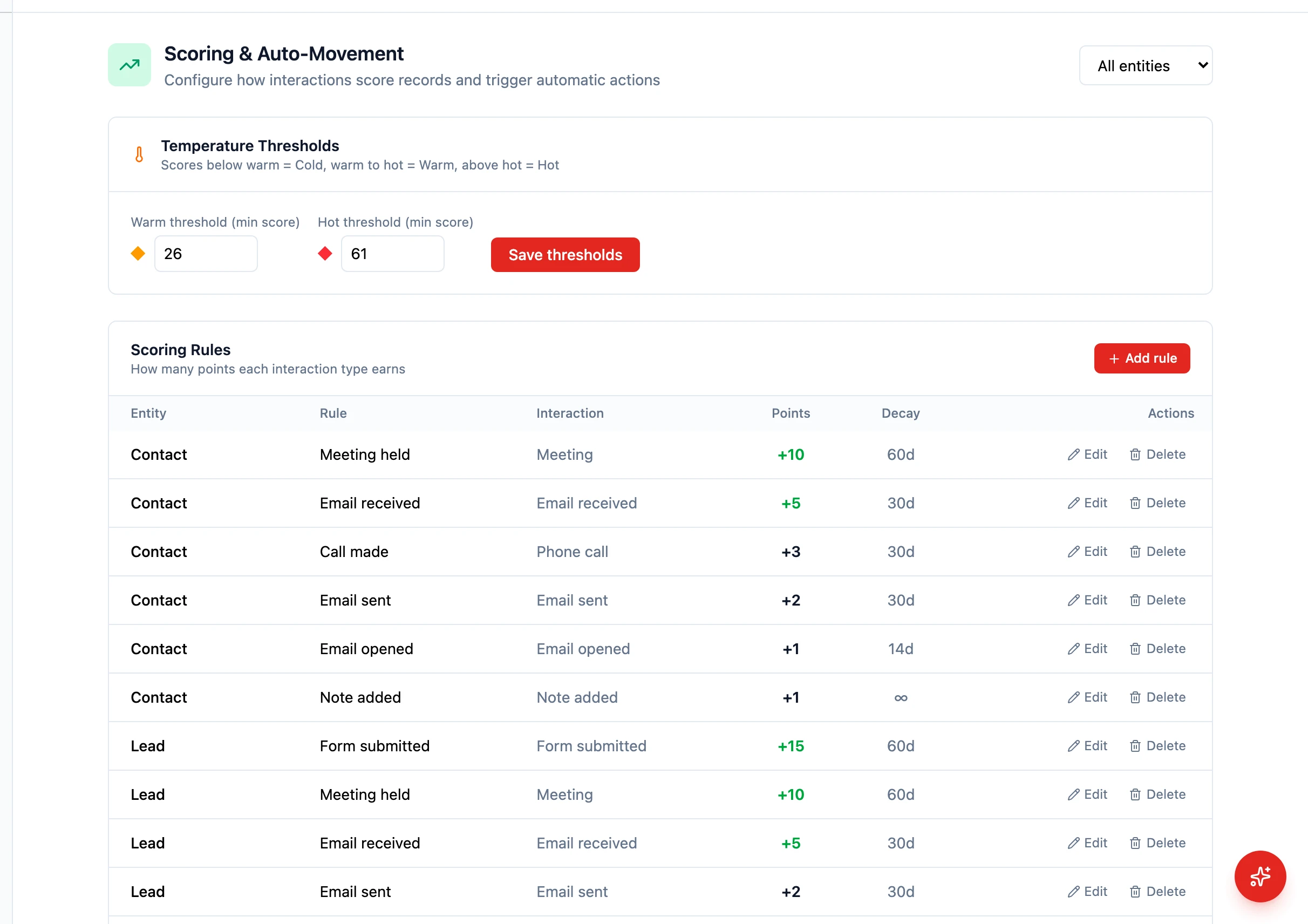
Today, lead-score calculation logic is expressed in the workflow’s update value (using the expression language). Built-in scoring rules with sliders are also available in Settings > Scoring.
Built-in Scoring Settings
Section titled “Built-in Scoring Settings”For a code-free alternative, configure scoring rules directly:
- Go to Settings > Scoring
- Create rules per entity (e.g. “+25 if
budget_confirmedis true”) - Save — HARi recomputes the score whenever a contributing field changes
Qualifying a Lead
Section titled “Qualifying a Lead”Once scoring is set up, you can use scores to route leads:
- Score 75-100: Hot lead — assign to a senior sales rep immediately
- Score 50-74: Warm lead — schedule a discovery call
- Score below 50: Cold lead — add to a nurture sequence
Automating Lead Routing
Section titled “Automating Lead Routing”Create a workflow to automatically route qualified leads:
- Entity: Lead, Event: After Save
- IF:
lead_scoreis greater than or equal to 75 - THEN: Update record field → Owner = your top sales rep, then Send notification to the same user
- Add additional IF/ELSE branch actions for warm and cold tiers
Using Saved Views for Lead Segments
Section titled “Using Saved Views for Lead Segments”Create saved views to track leads by qualification status:
- Hot Leads — Filter:
lead_score>= 75 - Needs Nurturing — Filter:
lead_score< 50 - Unqualified — Filter:
lead_scoreis empty
Next Steps
Section titled “Next Steps”- Auto-Assign Leads for automated lead routing by region or round-robin
- Build a Sales Pipeline to set up the pipeline that qualified leads enter
- Create Follow-Up Sequences for nurturing cold leads